Support
Stuck on a branch? Most answers are below. If not, email hello@canopyleap.com with your iPhone model and what happened, and we'll get back to you, usually within a couple of days.
Email supportHow do I play?
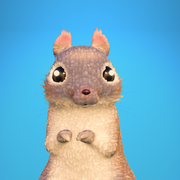
Your squirrel runs by himself. Drag left and right to steer along the branch; when a branch ends he leaps to the next treetop. Collect gems on the way, aim for the centre of each landing, and reach his home tree at the end of the level. The first level, First Flight, teaches the basics.
How do stars and crowns work?
Finishing a level earns ★. Gather enough gems for ★★ and ★★★: the bolder routes pay the most. Get ★★★ with no falls and you also earn the level's crown. Earn ★★★ on every level of a chapter to unlock its special reward.
What is the Daily Leap?
A brand-new level arrives every evening, each built around its own idea. Play it as often as you like; your best run counts. Turn on the evening reminder in Settings if you'd like a nudge when it arrives.
Will I lose my progress?
Your progress is saved on your iPhone and included in your iPhone's backups. There's no account, so progress doesn't move between devices automatically. Deleting the game deletes its progress, unless you restore from a backup.
The game feels slow or the picture looks blurry.
The game adjusts its detail automatically to keep things smooth. Close other apps, make sure Low Power Mode is off, and let your iPhone cool down if it's warm. If it keeps happening, email us your iPhone model.
There's no sound.
Check the volume buttons and your iPhone's silent switch, and that Sound is on in the game's pause menu. If another app is playing music, the game's music steps aside so yours can keep playing.
How do I change tracking or notifications?
Tracking: iOS Settings → Privacy & Security → Tracking. Notifications: the game's Settings, or iOS Settings → Canopy Leap → Notifications. See our Privacy Policy for details.